© 2015 Amazon.com, Inc. or its affiliates. All rights reserved.
New to Kindle 2nd Generation? Start Here
Charging and Powering Up Your Kindle
Registering Your Kindle
Setting a Password on Kindle
Setting Your Payment Method
Using the Controls
Using the Home Screen
Shopping for Kindle Content
Charging and Powering Up Your Kindle
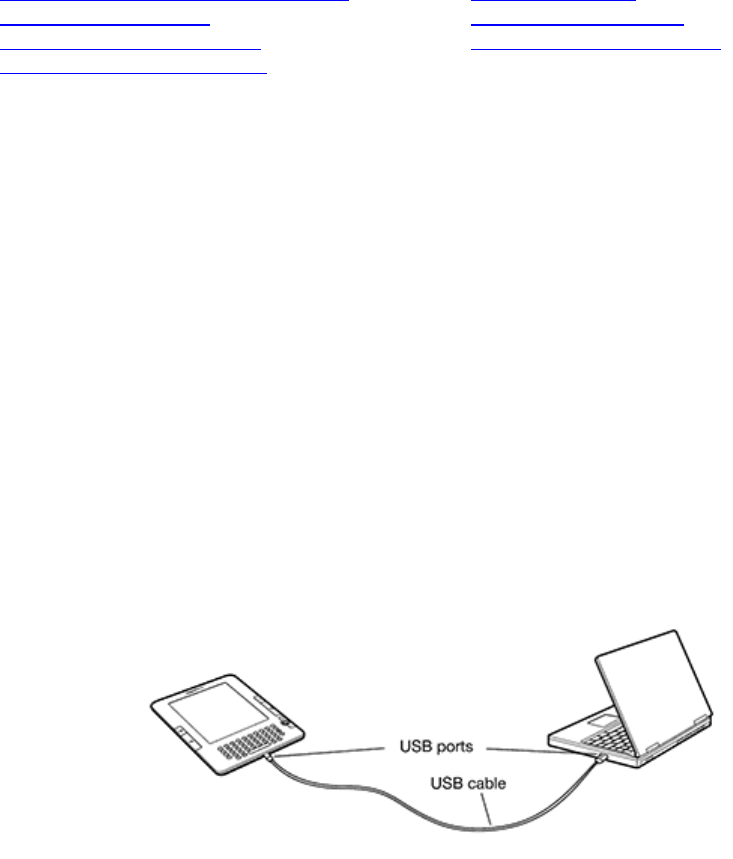
Kindle ships with a U.S. power adapter and a Kindle micro-USB cable. You can charge your Kindle by
connecting it to your computer via the Kindle micro-USB cable or by connecting it to a wall socket using
the Kindle micro-USB cable and the Kindle U.S. power adapter plug. The light on your Kindle next to the
USB socket will appear yellow when charging and change to green when Kindle is fully charged.
Note on third-party charging devices (not included with your Kindle): Third-party charging devices,
power converters, USB wall chargers, and other charging hubs are not supported nor recommended for
your Kindle.
Charging from Your Computer via Kindle Micro-USB Cable
When using the Kindle micro-USB cable to charge your Kindle via your computer, charging time will
normally take 4 to 6 hours. To charge your Kindle from a computer via Kindle micro-USB cable:
Connect Kindle directly to a USB port on your computer. Do not connect through a hub,
keyboard, or monitor.
Connect Kindle to a computer plugged into a power outlet. We recommend keeping your
computer plugged into a power outlet while charging your Kindle. Your computer may not supply
sufficient power to the USB port if it is not plugged in.
Make sure your computer stays on during the entire charging process. Disable Standby,
Hibernate or Sleep mode, if necessary.
Verify Kindle recognizes the USB connection. You can verify your Kindle is charging if you
see the USB drive mode screen. If you do not see this screen, unplug and reconnect your Kindle.
You may also need to select an alternate USB port.

 Manymanuals.com
 Manymanuals.de
 Manymanuals.fr
 Manymanuals.it
 Manymanuals.pl
 Manymanuals.cz
 Manymanuals.es
 Manymanuals-pt.com
Commenti su questo manuale