Amazon KINDLE 2ND GENERATION Manuale Utente Pagina 3

  • Scaricare
  • Aggiungi ai miei manuali
  • Stampa
  • Pagina
    / 8
  • Indice
  • SEGNALIBRI
  • Valutato. / 5. Basato su recensioni clienti
Vedere la pagina 2
© 2015 Amazon.com, Inc. or its affiliates. All rights reserved.
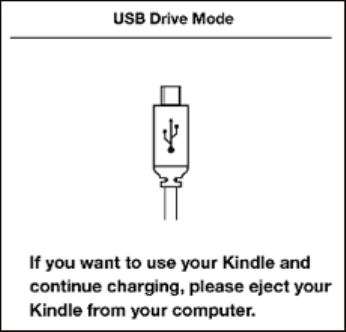
Using Kindle while Charging via Kindle Micro-USB Cable
You can use your Kindle while it is connected via USB and charging from your computer by unmounting
or ejecting it so Kindle exits USB drive mode.
Windows Vista and 7: Click on the Start button, select "Computer" from the options, right-click
on the Kindle drive icon and select "Eject" from the pop-up menu.
Windows XP: Right-click on the "Safely remove hardware" icon in the lower right-hand corner of
the task bar and follow the on-screen instructions to remove Kindle.
Mac OS: Control-click on the Kindle device icon and choose "Eject."
Kindle will then exit USB drive mode and display the Home screen. You'll see a lightning bolt on the
battery status icon that indicates your Kindle is still charging.
Using Kindle's Power Switch
The Power switch on top of Kindle puts it to sleep, wakes it up, and turns your Kindle on or off.
To wake up or turn on your Kindle: Slide and release the power switch again.
To put your Kindle to sleep: Slide and release the power switch. (Other keys and buttons are locked in
Sleep mode.)
To turn your Kindle off: Slide and hold the power switch for four seconds until the screen goes blank
and then release.
To reset your Kindle: Disconnect your Kindle from any power source, and then slide and hold the power
switch for 15 seconds before releasing.
Vedere la pagina 2
1 2 3 4 5 6 7 8

Commenti su questo manuale

Nessun commento